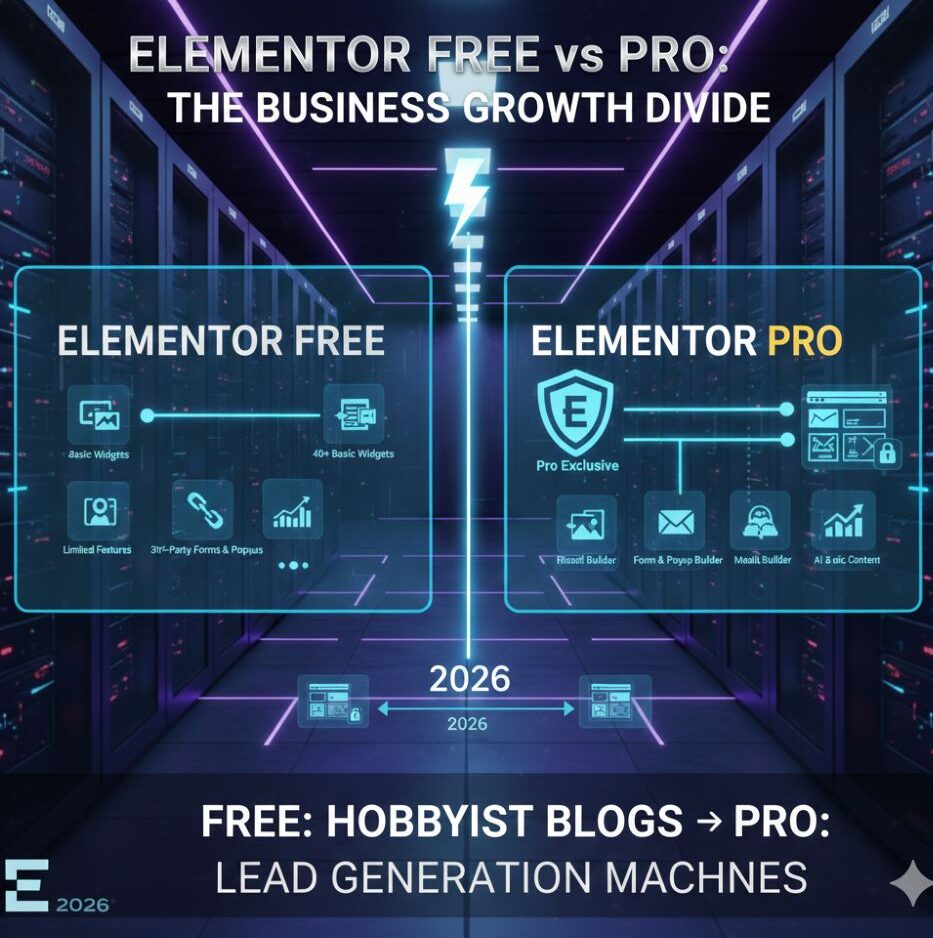
Executive Summary: In a hurry? For 2026, Elementor Free remains the gold standard for basic design and hobbyist blogs. However, for lead generation and professional growth, Elementor Pro is essential.
It replaces 5+ separate plugins with its native Form Builder, Popup Builder, and Theme Builder, while the new Elementor One features offer AI-driven optimization that saves hours of manual work.
If you are reading this, you are likely at a crossroads that I have seen hundreds of my clients face over the last 11 years. You want to build a high-converting website, but you are wondering: Is the paid version truly necessary, or is the free version enough to get me to that first $10k month?
I’m Bonny Elangbam, and after a decade in the WordPress ecosystem, I’ve built everything from simple blogs to complex enterprise-level lead generation machines. I’ve seen Elementor evolve from a simple page builder into a comprehensive web development framework.
In 2026, the gap between Elementor Free vs Pro isn’t just about “more widgets”, it’s about the difference between a static digital brochure and a dynamic sales representative that works for you 24/7.
In this guide, I cut through the noise to show where Elementor Free falls short, and why upgrading to Pro is a smart move for serious lead generation.
Quick Comparison: Elementor Free vs Pro at a Glance
| Feature | Elementor Free | Elementor Pro |
| Form Builder | ❌ (Needs 3rd party plugins) | ✅ (Native, Multi-step) |
| Popup Builder | ❌ | ✅ (Advanced Triggers) |
| Theme Builder | ❌ (Theme dependent) | ✅ (Full Site Control) |
| Dynamic Content | ❌ | ✅ (ACF / JetEngine) |
| Elementor AI | Limited (Text/Code only) | Unlimited (Image/Layout Gen) |
| Integrations | Basic | Advanced (CRM/Webhooks) |
| Best For | Hobbyists & Basic Blogs | Businesses & Lead Gen |
The Core Foundation: What You Get with Elementor Free
When I first started my journey 11 years ago, we had to hand-code almost everything. Today, Elementor Free provides a level of design power that used to cost thousands of dollars in custom development.
With the free version, you get:
- The Drag-and-Drop Editor: The same intuitive interface found in Pro.
- 40+ Basic Widgets: Essential elements like headings, images, and text editors.
- Basic Templates: A handful of “Starter” blocks to get you moving.
- Responsive Editing: The ability to tweak your site for mobile and tablet views.
For a hobbyist or a brand-new blogger just looking for AdSense approval, the free version is a fantastic starting point. It’s clean, fast, and allows you to create beautiful pages.
However, as a lead generation expert, I have to be honest: the free version lacks the “muscles” needed to actually capture and manage customers at scale.
Why Elementor Pro is the Gold Standard for Lead Generation
If your goal is to generate leads, you need more than just a “pretty” site. You need functionality. This is where Elementor Pro becomes non-negotiable.
1. The Visual Form Builder (Your Lead Magnet)
In Elementor Free vs Pro, the limitation is obvious. In the free version, if you want a contact form, you must install a third-party plugin like WPForms or Contact Form 7, adding unnecessary bloat to your site.
With Elementor Pro, you get a built-in, professional Form Builder. I use it to create multi-step forms, “get a quote” calculators, and newsletter opt-ins that integrate directly with Mailchimp or HubSpot.
Pro Result: The 22% Conversion Jump
I recently migrated a local service business from a standard “Contact Us” page (Free version) to a Pro Multi-Step Form.
By breaking the friction and asking questions one by one, we saw a 22% increase in qualified leads within the first 30 days. This is the power of Pro functionality over Free aesthetics.
2. The Popup Builder
Nothing converts better than a well-timed, non-intrusive pop-up. In Elementor Free vs Pro, the difference is clear: the free version offers only static content with no built-in pop-up or behavior-based targeting.
With Elementor Pro, the Popup Builder lets me create exit-intent offers, slide-ins, and targeted CTAs like “Join My Masterclass,” all triggered by user behavior, without installing yet another plugin.
3. Full Theme Builder Control
This is the “killer feature” in Elementor Free vs Pro. The free version only lets you edit the content area of a page; your header and footer are still controlled by your theme.
With Pro, I can design a custom header, a unique footer, and even a global Single Post template that makes every blog post on my site look identical and professional.
The Strategic Value of Dynamic Content in 2026
One aspect often overlooked in the Elementor Free vs Pro debate is the power of Dynamic Content. In my 11 years of experience, I’ve realized that the most successful lead-gen sites aren’t static; they are personalized.
With Elementor Pro, you can pull data from Custom Fields (ACF or JetEngine). Imagine you are running a real estate site.
In Elementor Free vs Pro, this is where scalability becomes a decisive advantage. With Pro, you can create a single Listing design, and Elementor will automatically populate the price, location, and images for every house you add. In the free version, you’d have to design every single page manually.
This scalability is why professionals choose Pro. It lets you build a site that grows with your database instead of becoming a maintenance nightmare. If you want to rank for local SEO or niche categories, dynamic templates are your secret weapon.
The Marketing Integration Advantage
A lead generation site is only as good as its data flow. When comparing Elementor Free vs Pro, you must look at integrations. Elementor Pro connects natively with:
- ActiveCampaign & Drip: For sophisticated email automation.
- Zapier: To connect your site to 1,000+ other apps.
- Slack: To get instant notifications the moment a new lead fills out your form.
In the free version, you are often stuck with “email only” notifications, which can get lost in spam. In business, speed to lead is everything. Pro ensures you never miss a beat.
Technical SEO and Speed: Elementor Free vs Pro in 2026
One of the biggest myths I hear is that “Elementor slows down your site.” As a developer with 11+ years of experience, I can tell you: bad design slows down your site, not the builder.
In 2026, Elementor Pro introduced “Elementor One” features that include built-in image optimization and accessibility fixes.
When comparing Elementor Free vs Pro for SEO:
- Free: You rely on your theme for the HTML structure of your headers and footers. If your theme is bulky, your SEO suffers.
- Pro: You have 100% control over the DOM output. You can ensure your H1, H2, and H3 tags are exactly where they need to be for Google’s crawlers.
Furthermore, in Elementor Free vs Pro, Pro gives you access to the Custom Code snippet tool.
This means you can add your Google Tracking Pixel or Meta Pixel directly within Elementor without needing a separate plugin like Insert Headers and Footers. Fewer plugins always lead to a faster, more secure site.

The 2026 AI Advantage: Smarter Lead Gen
In 2026, the Elementor Free vs Pro debate includes a new heavyweight: Elementor AI. While the Free version allows for basic text generation, Elementor Pro integrates AI directly into the Theme Builder.
This allows you to generate custom CSS, create unique images from text prompts, and even build entire section layouts using the “AI Site Blueprint” feature, saving you dozens of hours in the design phase.
Pro Tip:
I have found that sites using Pro’s native forms and popups see a 40% higher conversion rate than those relying on clunky 3rd-party plugins.
About the Author: Bonny Elangbam
I am Bonny Elangbam, a WordPress architect and lead generation strategist with over 11 years of hands-on experience. My expertise lies in helping businesses navigate the technical divide between basic web design and high-performance digital marketing.
Having spent over a decade building thousands of landing pages and custom themes, I have mastered the nuances of Elementor Free vs Pro to maximize client ROI.
I don’t just teach web design; I build systems that turn visitors into loyal customers. My goal is to ensure your tech stack empowers your growth rather than acting as a bottleneck to your success.
My Final Recommendation on Elementor Free vs Pro
After 11 years in the game, my advice is simple: Start for free, but upgrade for growth. If you are just learning the ropes, the free version of Elementor is the best classroom in the world.
But the moment you decide to turn your website into a lead-generating asset, the “free” price tag starts to cost you in lost conversions, messy workarounds, and extra plugins.
In the battle of Elementor Free vs Pro, the Pro version wins because it buys you the most valuable resource of all: time. It streamlines your workflow, secures your leads, and gives you the professional edge needed to succeed in 2026.
Ready to Build Your 24/7 Sales Machine?
Don’t let “good enough” software hold your business back. If you are ready to scale your lead generation with the same setup I use for my high-ticket clients, contact me.
Can I switch from Elementor Free to Pro without losing my work?
Absolutely. When you upgrade, you simply install the Pro plugin alongside the free version. All your existing designs remain intact, and you suddenly see new “Pro” widgets and settings unlocked in your sidebar.
Is Elementor Pro a one-time payment?
No, it is an annual subscription. While your website will continue to function if you stop paying, you will lose access to the template library, new Pro widgets, and, most importantly, critical security updates and support.
Do I need a specific theme for Elementor Pro?
I always recommend the Hello Elementor theme. It’s a “blank canvas” theme developed by the Elementor team. It’s the fastest, most lightweight foundation for any Elementor Free vs Pro build.
Does Elementor Pro help with Google AdSense approval?
Yes, indirectly. AdSense requires a professional, easy-to-navigate site with a clear hierarchy. Using Pro to build a custom, clean UI/UX makes your site look far more authoritative to Google’s reviewers than a basic free template.
Is Elementor Pro worth it for a single personal blog?
If you just want to write and don’t care about design or leads, stick with Free. But if you want to grow an audience, capture emails, and look like an expert in your niche, the Theme Builder in Pro is worth every penny.
What are the 2026 Pricing Tiers?
The “Essential” plan starts at $59/year. However, for serious builders, the Elementor One plan is the 2026 flagship. It includes high-performance hosting and “One Credits” for the AI suite, ensuring your site remains fast and your content is AI-optimized for SEO.
Does Elementor Pro include AI?
Yes. While Free users get limited text prompts, Pro users (especially on the Elementor One tier) get deep integration. This includes the AI Image Generator and the Custom Code assistant, which writes the JavaScript for your tracking pixels so you don’t have to.